Details
DropTools Palette
Makes using and distributing custom controls a breeze
The DropTools Palette is a free LiveCode utility that lets you drag and drop custom controls directly to your stacks, automatically installing any necessary resources that it may require to operate properly.
A specially designed custom control stack is called a "DropTool"; DropTool stack developers can choose to add built in "about" information, or even a custom "inspector" to manipulate the control once it has been dropped onto a stack.
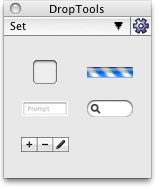
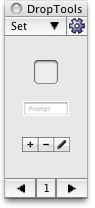
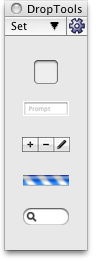
Do you use  Dropbox?
You can store your DropTools in any location, even on Dropbox, so you can share the same custom controls among multiple computers and multiple versions of LiveCode simultaneously! (See the User Guide for more info on using Dropbox.)
What's a "Custom Control"?
A "control" is a any user interface element that you interact with, like buttons, fields, scrollbars, and so on. Pretty much anything that is the LiveCode tool palette would be a control.
A "custom control" is is a control that you (or another developer) creates out of built-in LiveCode controls that has unique functionality. The best example of this is the DataGrid, but things like a date picker, or a field that automatically validates data entry would be good examples of custom controls.
Why Was DropTools Developed?
The DropTools Palette was designed to address three unique situations in the LiveCode development community:
- Problem: Incorporating another developer's control requires a lot of steps or can be complicated.
- Prescripted: The control has all the code built into it and is self-contained. This is the easiest to use because all it requires is copying the control to the place where you want to use it.
- Behavior-Based: The control has little/no code of its own, but the scripts that drive it are located in a behavior button. Using these requires not only copying the control itself, but also the behavior button into your stack (or you may need to incorporate a stack that has the behavior button on it into your own application); sometimes you may even need to reassign the behavior to the control after you've copied it, since the behavior "path" is linked to a specific stack name.
- Library-Based: The control has little/no code of its own; the code that drives it is in a library stack. Using this kind of control requires not only copying over the control, but moving the library stack to a place in your development folder structure and then executing a 'start using' on it to make the scripts available.
- Other: Some controls have a mixture of prescripted/behavior/library implementations and may require even more complicated installation mechanisms like copying one or more objects/cards/stacks into your application.
Problem: I need a custom control, but don't know where to go to find out what custom controls have been made.
- Problem: I have my own custom controls that I'd love for others to be able to use, but I don't have the time (or don't want) to write up installation documentation, etc.